


Media Realm’s Radio Websites contains a functionality for Payments and Fundraising. This article outlines the features available and how to use them. Radio Stations can use our payment features for accepting donations, memberships, basic merch sales, and invoice payments.
Our support team is available to help you with all payment functionality on the site. As this is advanced functionality, we request you adhere to these guidelines:
- Contact support before making changes any payment forms or integrations.
- Test all payment forms any time you make a change or start using the form for the first time.
- Notify our support team of any on-air fundraising appeals or campaigns 4-6 weeks before the start of the campaign.
- If you are mid-campaign and experiencing problems, please contact our 24/7 support number.
Some of this functionality is dependent on your plan. Please check with our support team if you are unsure or have questions.
Accepting Payments
You can accept payments via any Gravity Form on your website. Simply add a Product and Card field to your form, and configure your Payment feed.
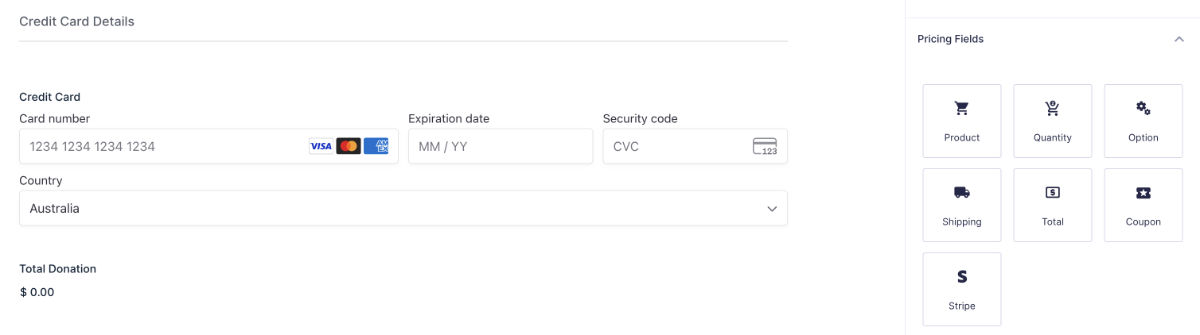
Before you get started, we must help you connect Stripe or payFURL. Stripe is our default payment gateway option. payFURL is a paid add-on which allows you to connect to many other payment gateways.
Payment forms can be embedded on any page, such as your membership page.
Accepting Donations
We have a donation page system which allows you to created unlimited customised donation pages. This can be used by fundraisers to create landing pages for specific purposes. This system uses a special form which can be customised per-page with suggested donation amounts, text, and graphics.
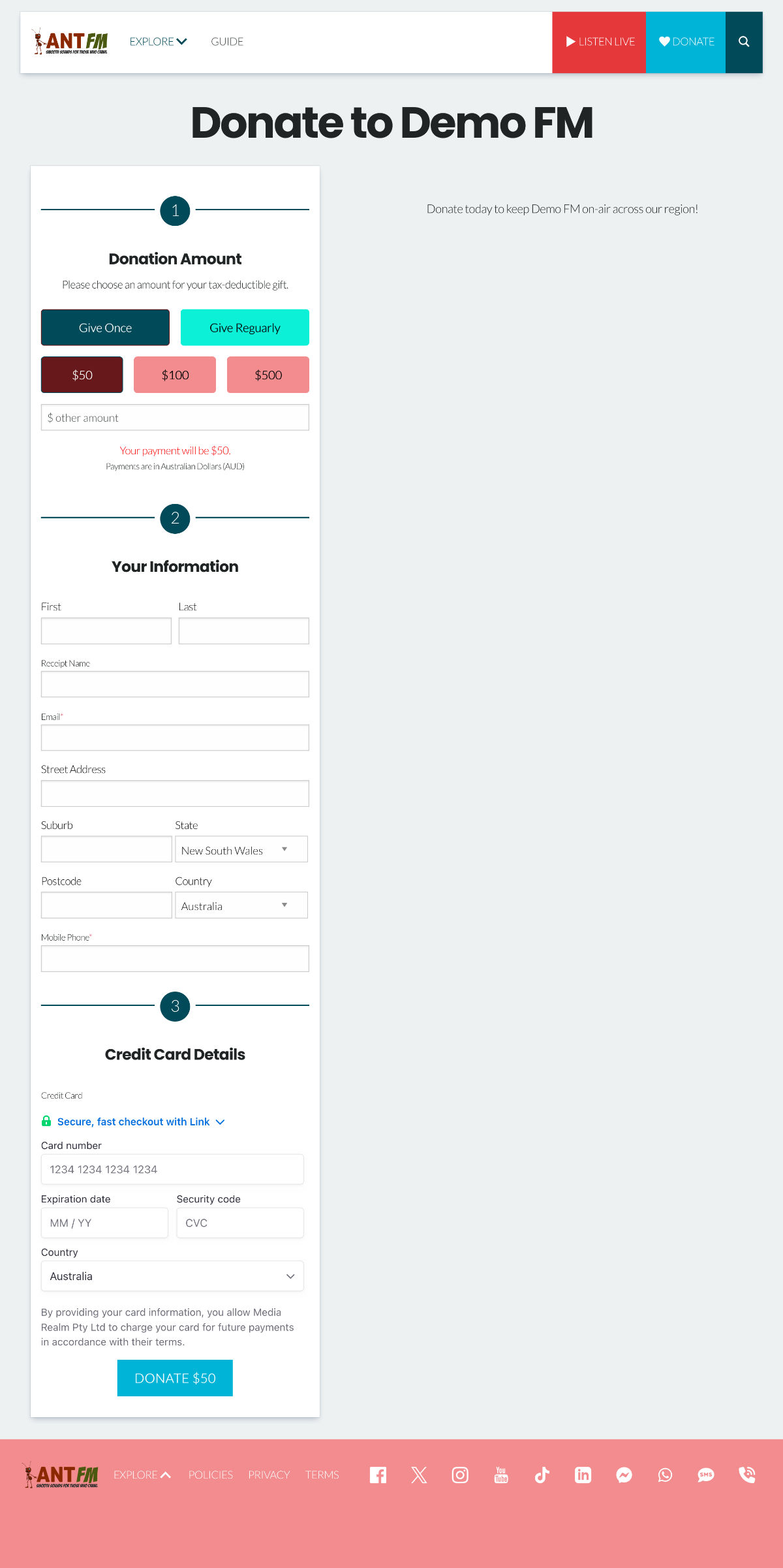
Before you begin creating a new donation page, you should collect the following details:
- Headline
- Body Content, including any embedded media
- URL (all URLs will start with /donate/)
- Hero Image
Step 1: Donation Page List. Navigating to ‘Donation Page in the left menu shows you all donation pages. You can sort by fields such as date. The ‘Fallback Page’ is what users see when the visit /donate on the site. It should not be edited. This can be overridden for a specific period of time by setting a Default Page with an Expiry Date. We will explore this option later.
Step 3: Create or Edit. The process for create a new page or editing an existing page is similar. Click “Add New Donation Page” or “Edit” under an existing page to proceed.
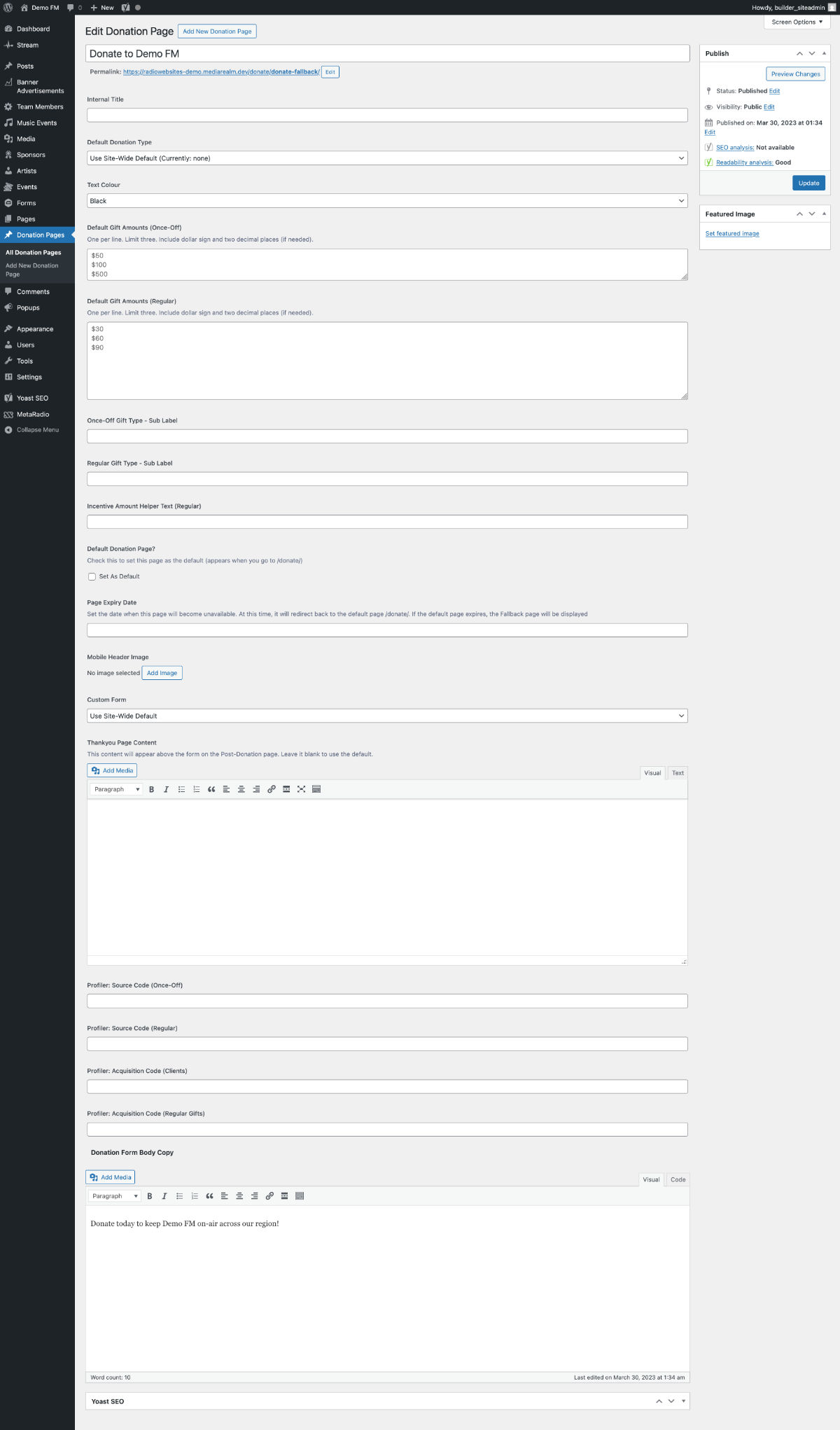
The Block Editor presents the main content section. You must enter a Headline and Body copy. The right sidebar has settings such as the hero image and URL. The centre column has several configuration fields under the heading ‘Donation Page Fields’. All fields are optional – the site-wide defaults are used if you do not populate these fields.
| Field | Instructions |
| Internal Title | This title is used internally to help you identify forms. We suggest populating this with the date and name of the campaign (e.g. 2025 June Appeal). |
| Default Donation Type | You can choose the default gift type (once or regular). If you were creating a campaign page for major donors, you may set this to ‘once’. If you were running a campaign for new monthly partners, you may set this to ‘regular’. |
| Default Donation Amounts: Once-Off | You can specify three default gift amounts for once-off gifts. If left blank, the site-wide default amounts will be used. |
| Default Donation Amounts: Regular | You can specify three default gift amounts for once-off gifts. If left blank, the site-wide default amounts will be used. |
| Default Donation Page? | If you wish this page to be visible when a visitor browses to /donate on the site, tick this box. You must also set an expiry date (next setting). |
| Page Expiry Date | Set an expiry date for this page. After the expiry date, visitors who go to this page will be sent back to the default or fallback donation page. |
| Custom Form | You can use a custom form in WordPress. This field requires advanced setup and we do not recommend using it ordinarily. |
| Profiler Codes | If you have the Profiler CRM, you can populate the CRM’s source codes and acquisition codes here. |
Once you save your page, load it to check everything is working.
Merchandise Sales
We have a basic Shopping Cart and Checkout system built into Radio Websites. You can use this for simple product sales, such as t-shirts and other merchandise. It does not have advanced features such as variable shipping rates, discount codes, or integrations. For advanced eCommerce functionality, we recommend a dedicated eCommerce platform such as Shopify.
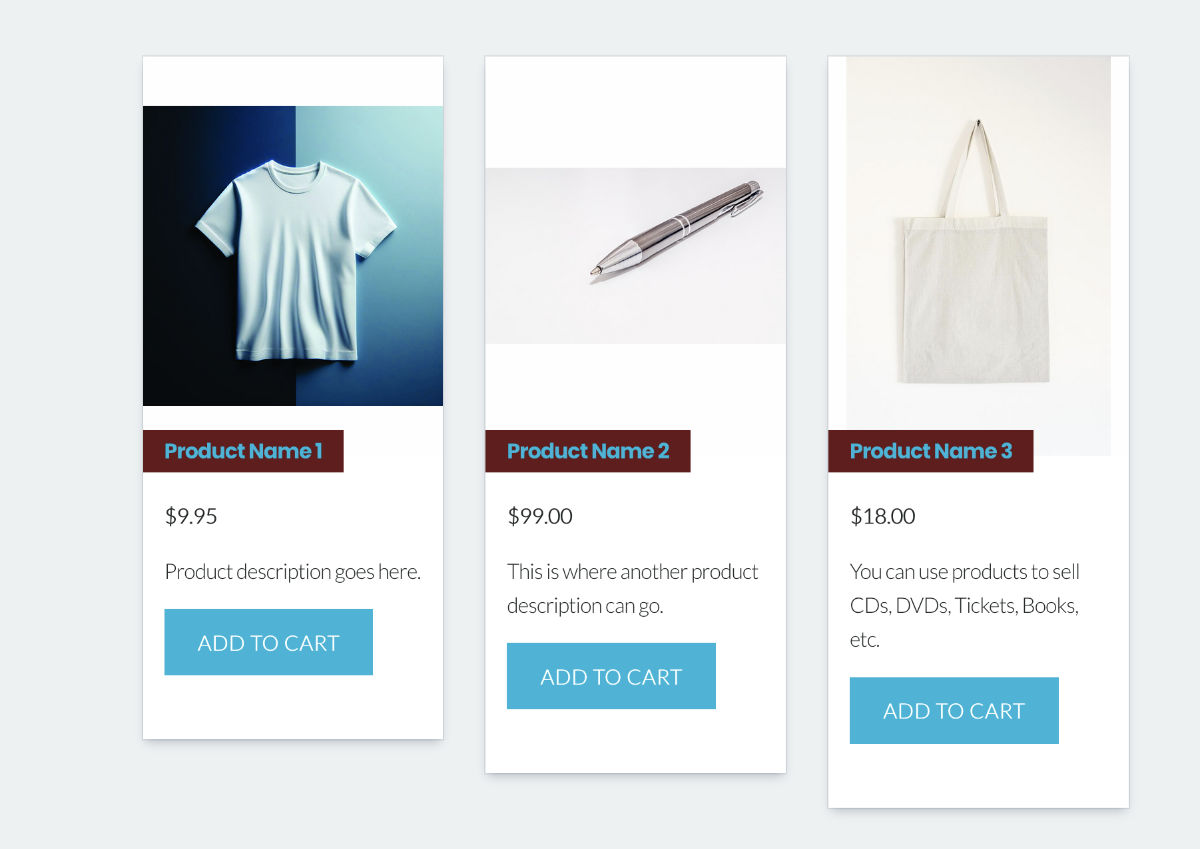
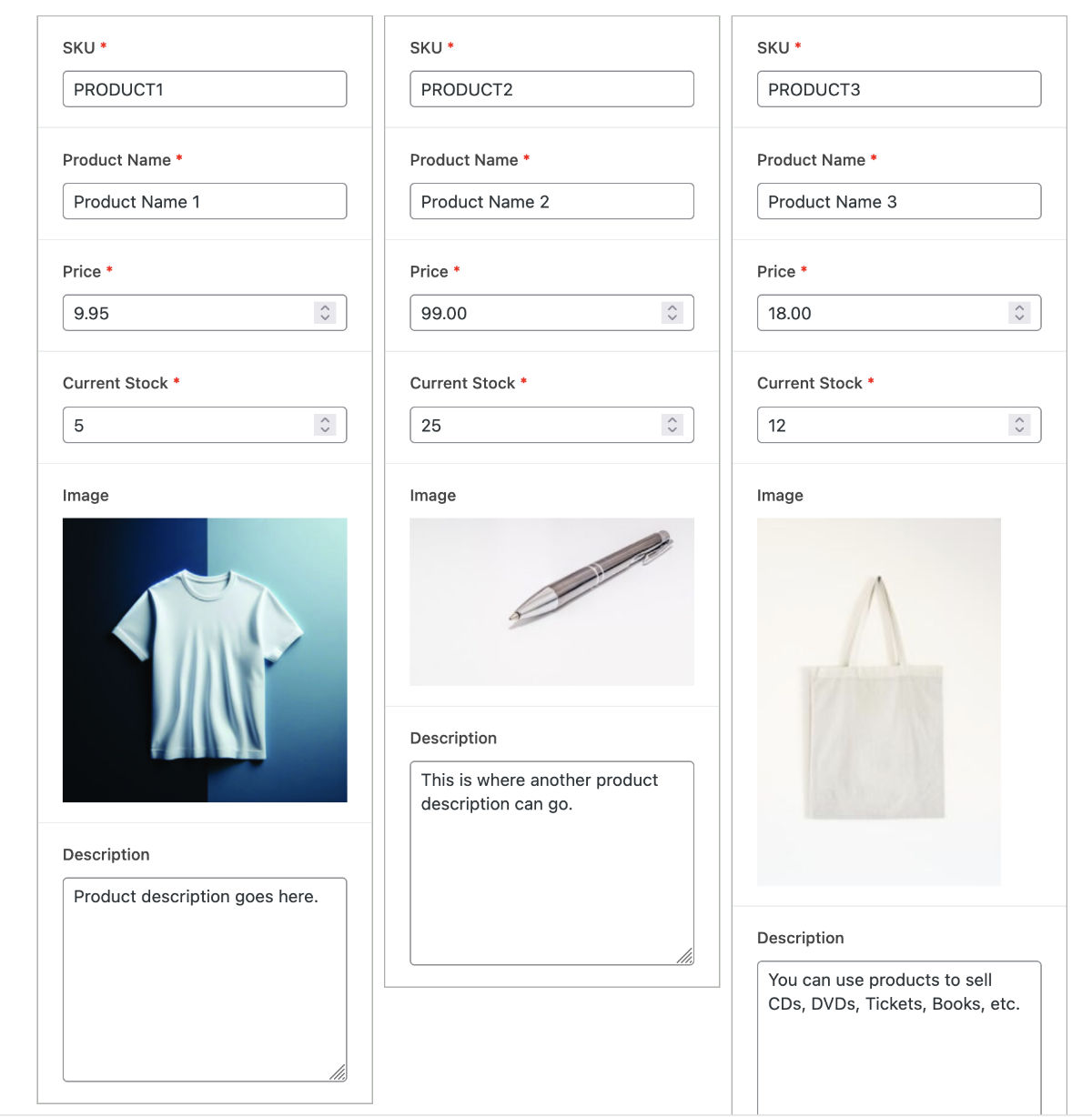
Your site comes with a built-in page called ‘Products’. You can edit this page and continue adding ‘Product’ blocks until all your products are featured on the site.
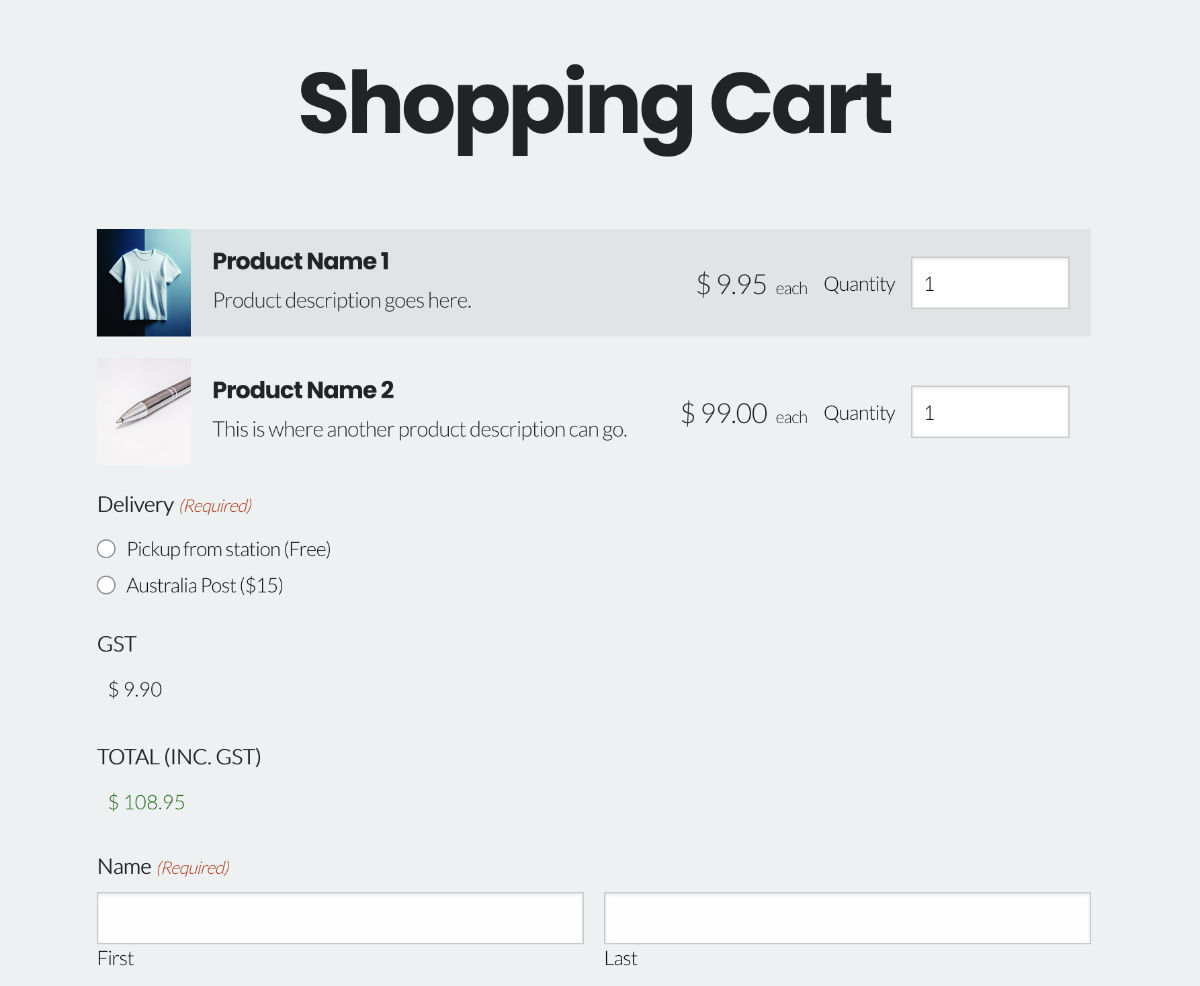
Once a user adds a product into their cart, they will see a checkout icon and can go to the checkout page. This form can be customised with your own shipping details.
Apple Pay & Google Pay
We support Apple Pay and Google Pay integration between Stripe and our websites. This integration is available for all Stripe-enabled Radio Websites.

To enable this, you need to follow these steps:
- Verify your domain in Stripe, and add this verification to your Radio Website (WordPress Admin > Forms > Settings > Apple Pay).
- In your Forms, enable “Additional Payment Methods” on your Stripe field.
- Test your integration. Apple Pay works in Safari browsers, and Google Pay works in Chrome browsers.
Anti-Fraud Settings
All stations are responsible for protecting their own payment gateway from fraudulent transactions. Bad actors will use websites to run ‘card testing’ attacks. This is where a criminal will check stolen card details to see if they are still valid by making test transactions.
For stations using Stripe, we recommend you configure Radar for Fraud Teams. This is an inexpensive tool within Stripe which allows you to create custom rules. In addition to the built-in rules, here are some example rules you may wish to consider:
- Block if :risk_level: = ‘highest’
- Block if :amount_in_aud: < 5 and :ip_country: != ‘AU’ (substitute your own currency and country)
- Block if :total_charges_per_ip_address_hourly: > 5
- Block if :declined_charges_per_customer_hourly: > 5
- Block if :distance_between_ip_and_billing_address: > 1000
- Block if :amount_in_aud: < 2 and :ip_country: = ‘AU’ (substitute your own currency and country)
- Block if :is_disposable_email: and :is_anonymous_ip:
- Block if :cvc_check: = ‘fail’
In addition to the rules we suggest, you can also create rules based on your specific organisation’s risk appetite.
For the stations using other gateways, it is your responsibility to ensure your gateway has the correct anti-fraud settings available and configured. Not all banks and gateways have anti-fraud protection available. You can place a reCAPTCHA on your form to try and mitigate automated fraud, but please remember reCAPTCHA is easy to bypass these days.
If your site falls victim to any sort of credit card fraud, please ensure you refund the fraudulent payments and review your anti-fraud protections. If you need assistance, please contact Media Realm support.
Fundraising Tally Block
Radio Websites has a Tally block, which can be used to show the current fundraising tally on your website. You may want to create a special homepage for the duration of your appeal, so all visitors landing on your homepage see the current tally and are prompted to donate.
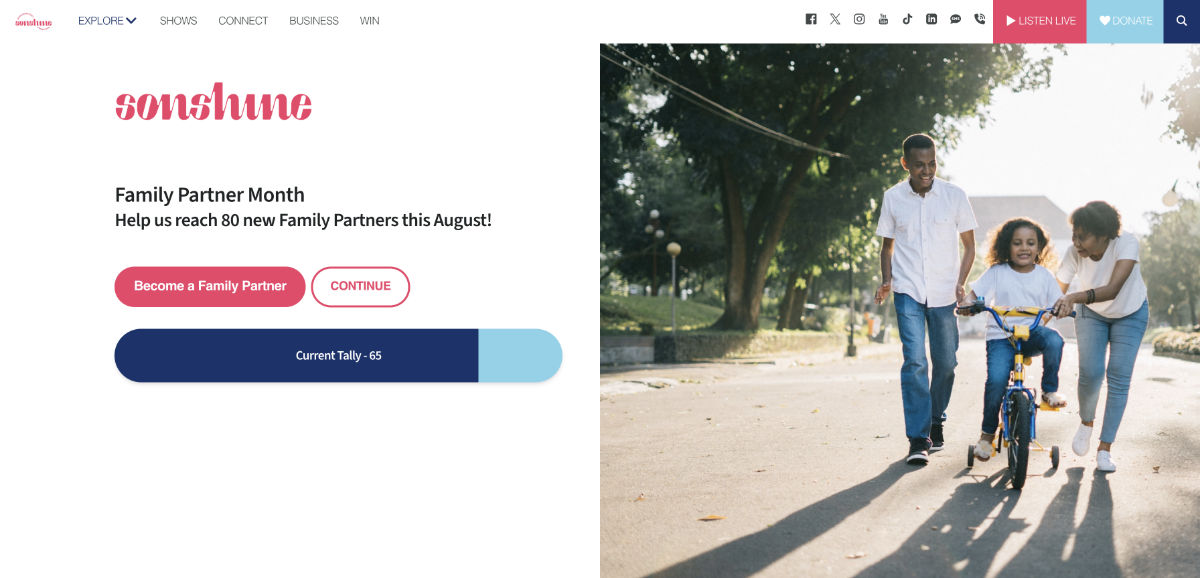
There are three different data sources you can choose from:
- Manual
This option lets you manually update your Tally within WordPress. - Gravity Forms
This option lets you could the payments made on one or more forms, within a specified date range. Use this to show a tally directly from your donation page’s donations. - Profiler CRM
If you use the Profiler CRM, we can fetch the tally and goal in realtime from your Special Events mode.
You can also customise the text displayed in the progress bar, using merge codes to insert the percentage, dollars raise, dollars remaining, goal, and more.

CRM Integration
Radio Websites supports limited CRM integration. Our CRM integration can be used to send data from a form submission on your website to a third-party system. We have two integrations available:
- Webhooks and Zapier
You can send form submission data to any compatible system via a webhook. We recommend Zapier as an intermediate system to accept and re-map the data before sending it through to your CRM. - Profiler CRM
The Profiler CRM is popular amongst Australian community radio stations. We support sending donations, interactions, mailing list signups, and client data updates directly from WordPress.