

I’m excited to announce MetaRadio v2.7 is now available. This release contains our new System Overview screen, Image Templates, DAB+ Images, Custom Fields, Fundraising System Connections, and a lot more.
This article outlines all the changes to be found in MetaRadio v2.7. After upgrading, make sure you ask yourself these questions:
- Am I using the Message Scheduler to unlock new revenue opportunities? Consider offering custom text and images for your advertisers.
- Am I sending metadata to connected dashboard systems such as DTS AutoStage and Radioplayer?
- Am I ensuring I have images and text attached to all station promos? Use the new Message Scheduler features to achieve this.
- If I have a HD Radio transmitter, am I using the HD Radio Artist Experience?
- If I am broadcasting on DAB, am I using the new DAB Images subscription to send album art?
- If I am fundraising for my station, am I using the new fundraising inputs to dynamically send the current tally and goal on radio receivers?
- Am I utilising additional inputs, such as RSS Feeds from my website and Weather? These additional types of inputs can provide extra value to your listeners, and drive more traffic to your website.
Take control of your metadata with MetaRadio – the ultimate tool for managing your radio station’s appearance effortlessly. Send your metadata anywhere – RDS, HD Radio, DAB, Websites, Streaming, Apps, Connected Cars, and more! MetaRadio is trusted by radio broadcasters worldwide to handle their song and program metadata, as well as delivering advertising and promotional messages to radio receivers. Advanced features such as Data Rules, Message Scheduling, Reporting, Images, Live Overrides, and System Scheduling allow endless customization of your metadata
Image Templates
MetaRadio now features an interactive Image Template builder. This feature can be used in combination with Data Rules or Message Scheduler to generate images on the fly for specific assets. Stations are already using this feature to generate real-time fundraising images, showcase web articles from RSS Feeds, and encapsulate their album art on DAB (DAB typically uses 320×240 images, so square album art doesn’t fit neatly).
Album Art can be embedded within templates for HD Radio Artist Experience and DAB Images subscription licensees. Images can also be embedded from custom URLs, such as RSS Feed images.
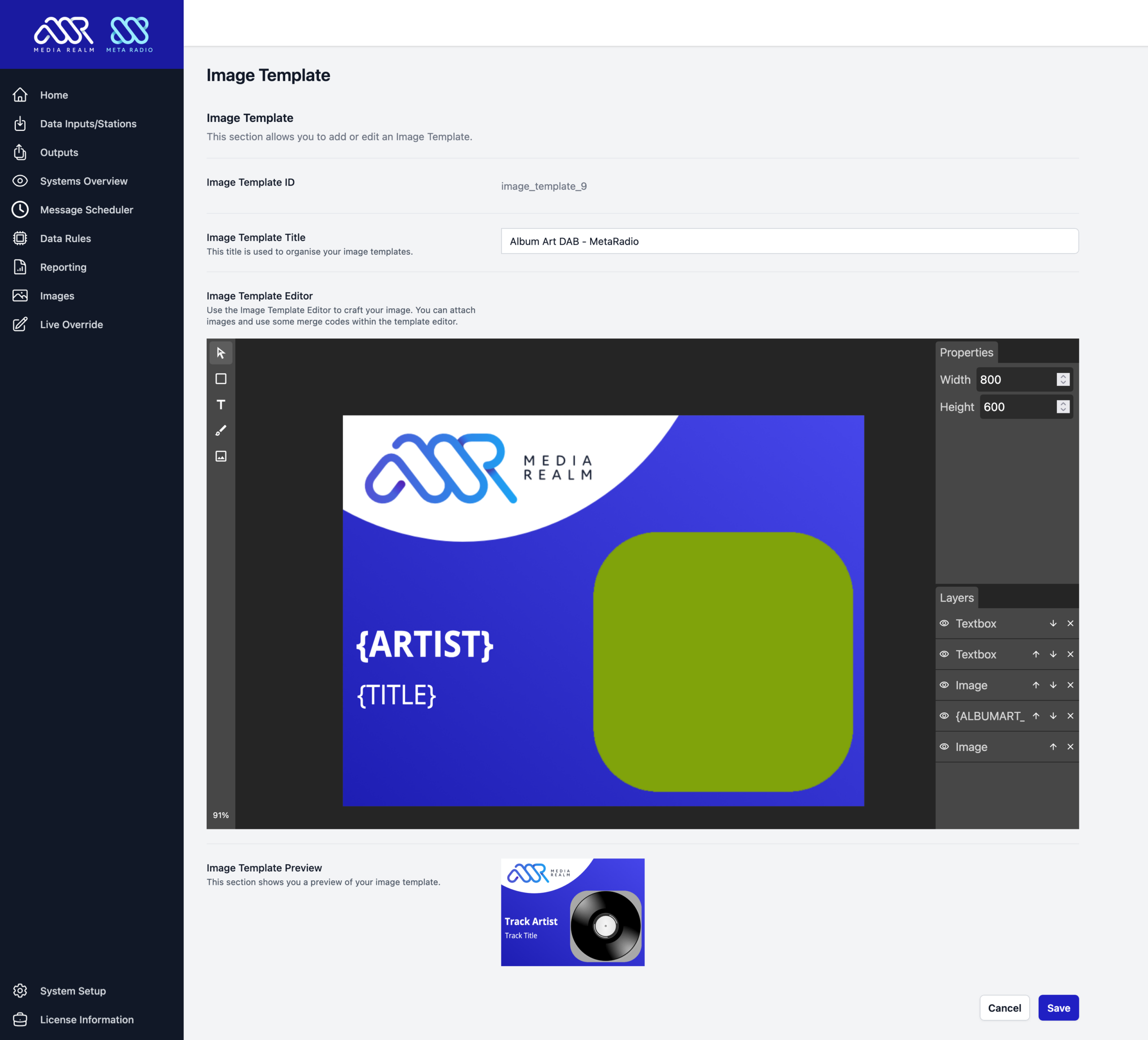
These images are hosted on Media Realm’s CDN, meaning you do not need to run your own web server to publish these images. You need an active MetaRadio Support & Updates subscription to use this feature.
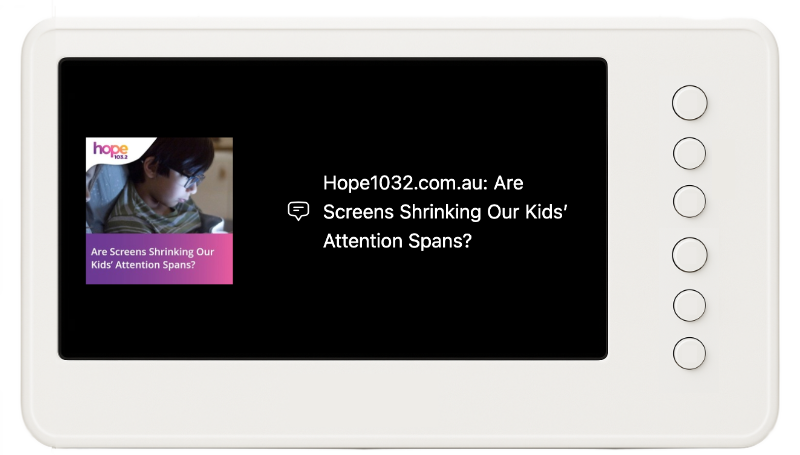
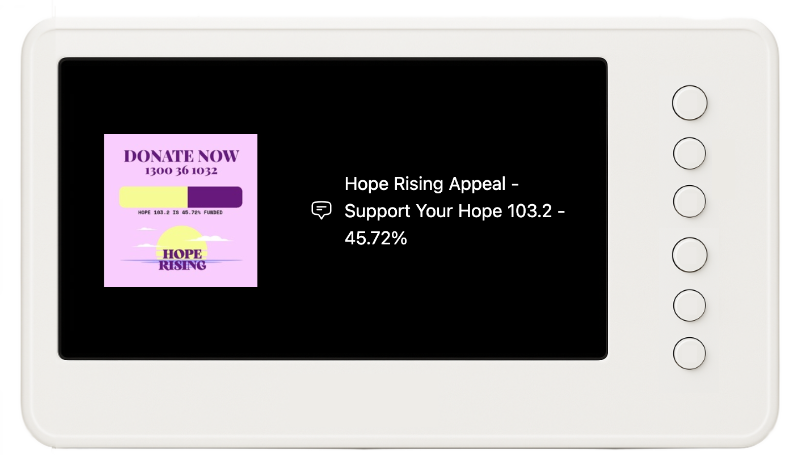
Here are two examples of Image Templates using RSS Feeds and Fundraising data as their data source:
Message Scheduler Enhancements
Our Message Scheduler continues to receive lots of attention. It’s now easier than ever to schedule promotional messages, advertiser messages, and other periodic text you want to send to your outputs.
This feature can be used to unlock additional revenue. Stations are using this feature to sell ads on RDS, Digital Radios, and Connected Radios. Consider these two options:
- Display visual ads in sync with audio ads.
To achieve this, create a Message, set it to ‘Playing Match’ mode, link it to the Item Code (Cart Number) from your automation system, and set the ‘Start Delay’ time to 0. Now, whenever that audio plays on-air, your Message Scheduler message (with custom text and image) will be sent to all compatible outputs. - Display visual ads while a song is playing.
Some broadcasters want to display a 30 second ad during the middle of a song. To achieve this, create a Message, set it to ‘Playing Anytime’ mode, and set the ‘Start Delay’ time to ’30’ seconds, the ‘Display Time’ to ’30’ seconds. Now, anytime a song plays, it will show the now-playing data for 30 seconds, your ad for 30 seconds, and then return to your now-playing data again.
These are just two of the ways you can use the Message Scheduler to unlock additional revenue streams. Both these options have been possible in previous MetaRadio releases, but these changes make it easier. Combined with the Web Access feature, your sales and traffic teams can now take control of scheduling.
The new options available in v2.7 are:
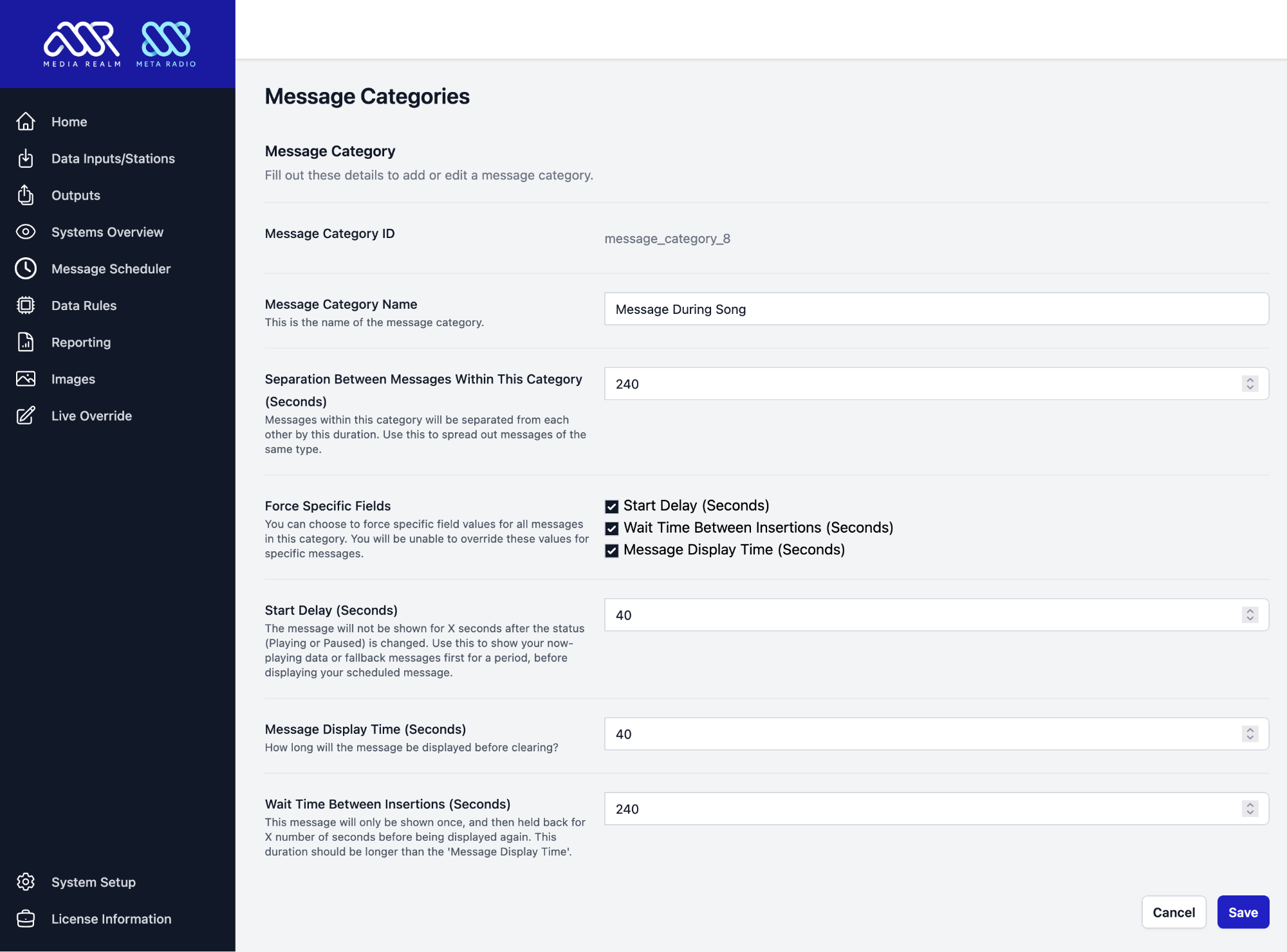
- Message Categories
You can now create your own categories. These can be used to group messages and apply common settings to all messages in that group. - Message Category Separation
You can use Message Categories to separate the same types of messages from each other. If you are displaying ads during songs, you might use this feature to ensure only one message is shown per-song. - Enable/Disable
Messages can now be manually disabled via the settings screen. - Message Names
You can now assign an internal name to each of your messages. This will help you keep track of the purpose each message. This field is optional.
System Overview
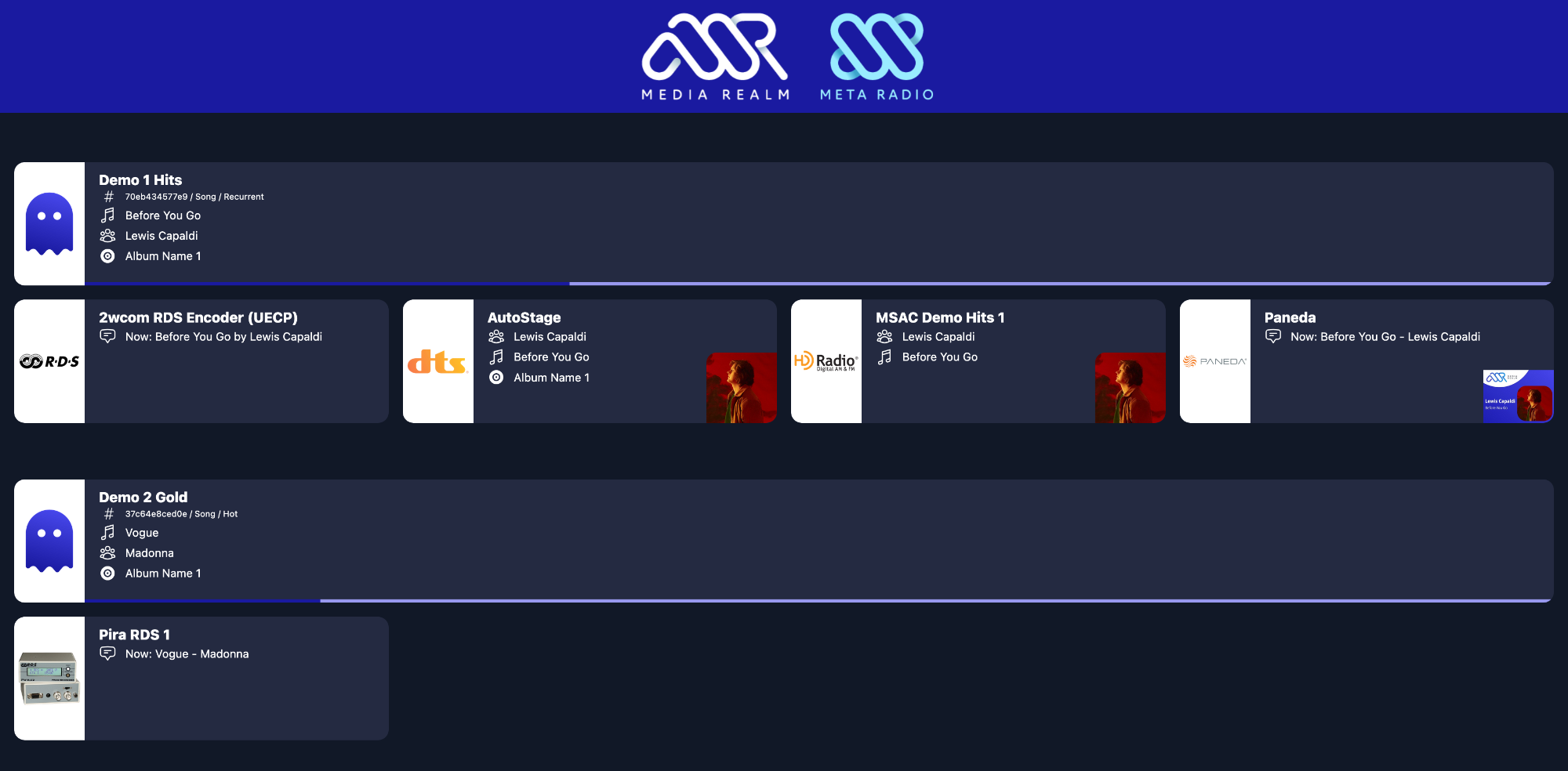
MetaRadio now has a place to see the status of all your systems at once. This new System Overview screen shows your live data across all systems. You can hide systems from this screen and re-order them too.
DAB+ Images
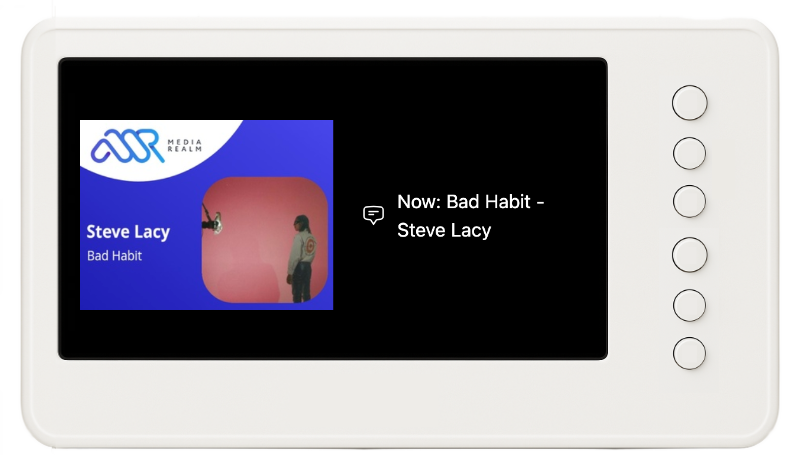
We have started adding support for images across our DAB outputs. MetaRadio v2.7 adds support for images via Paneda DAB encoders, ODR-EncoderManager, and CBAA’s Digital Radio Project API. Other DAB systems will be added upon request from our customers.
Images from your Image Library can be sent to MetaRadio without any additional licensing fees. Album Art must be licensed via our annual DAB Images subscription. This service provides fully licensed album art for use on DAB.
Custom Fields
We have introduced a Custom Field system. These fields can be set via Data Rules, and then used via Merge Fields elsewhere in MetaRadio.
How could you use this new feature? Your automation system might send a command at the start of the hour with the name of the program on-air for that hour. MetaRadio ordinary won’t remember this data once the next track starts playing, but now you have a place to store this data independently of the track.
You can setup as many Custom Fields as you like on the System Setup screen:
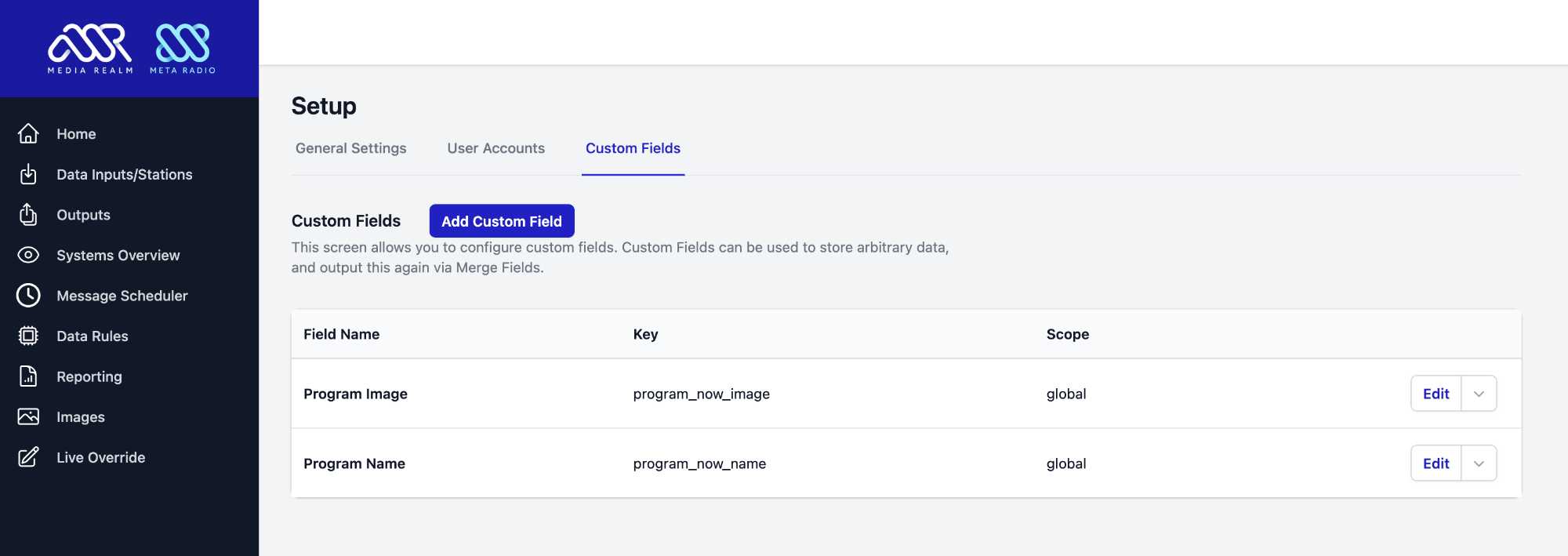
You can specify a custom name, key, value, and expiry time.
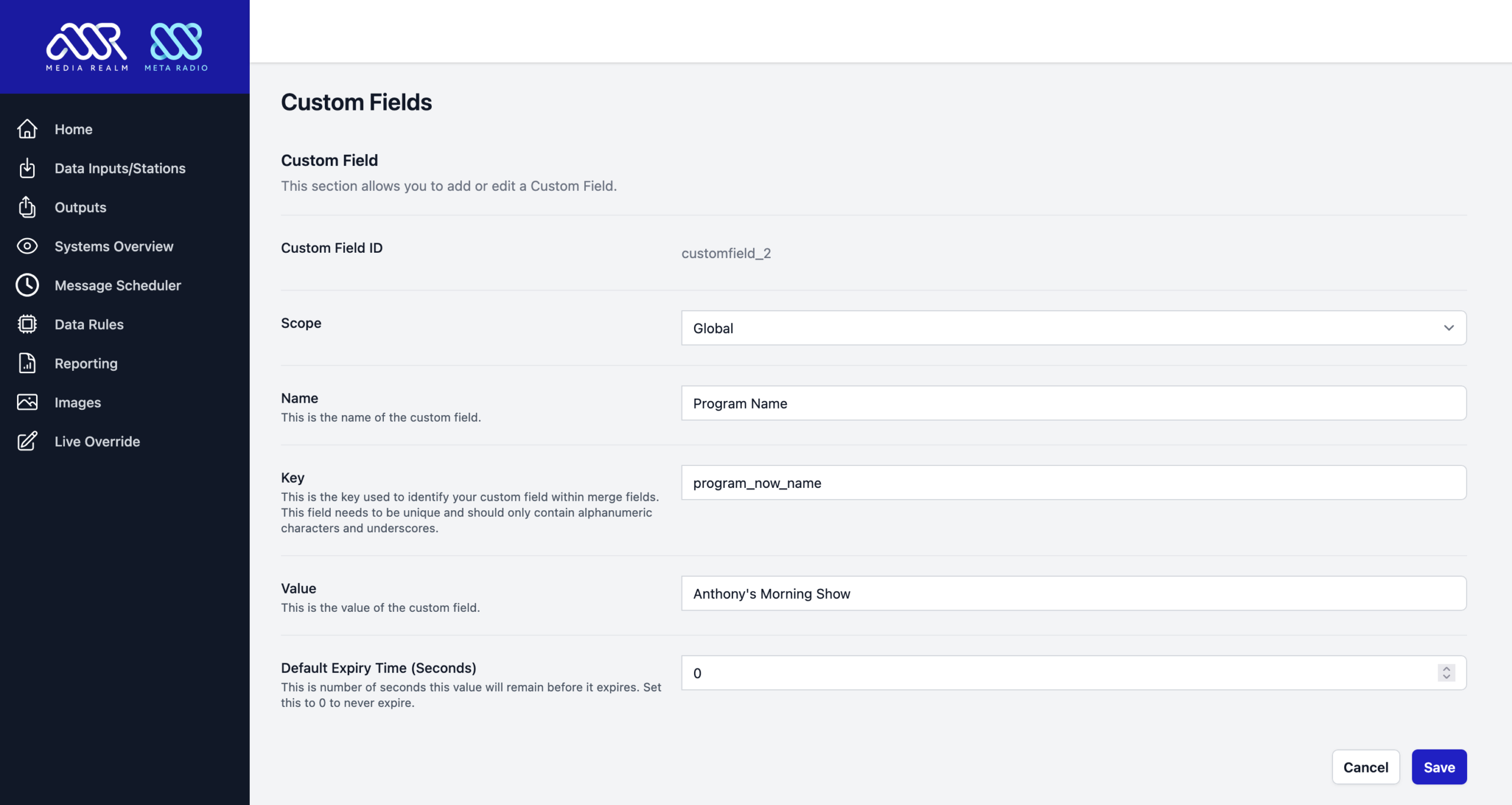
These fields are then available to set within any Data Rule.

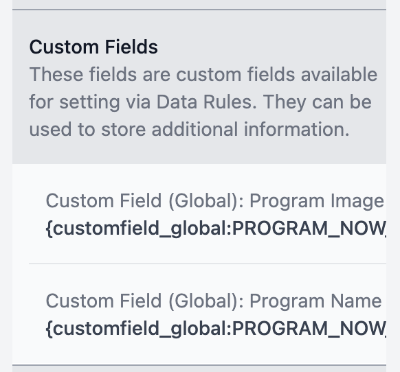
Once the Custom Field has data in it, you can use it via Merge Fields in any output:
Admin Interface Improvements
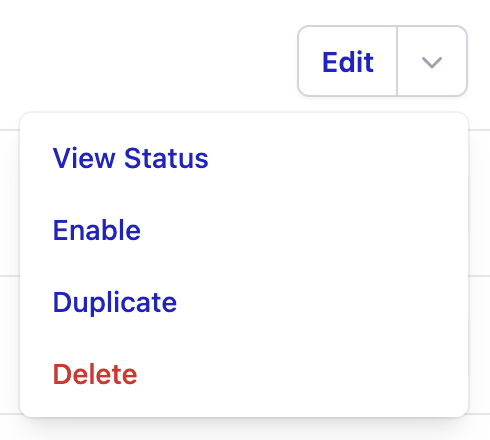
We have improved the setup and troubleshooting of systems. You can now enable/disable any system with a single click, duplicate systems (including moving outputs to another input), and view the status of a system without needing to dive through the full system logs. Simply click the arrow icon next to a system’s ‘Edit’ button, and you’ll see the available options.
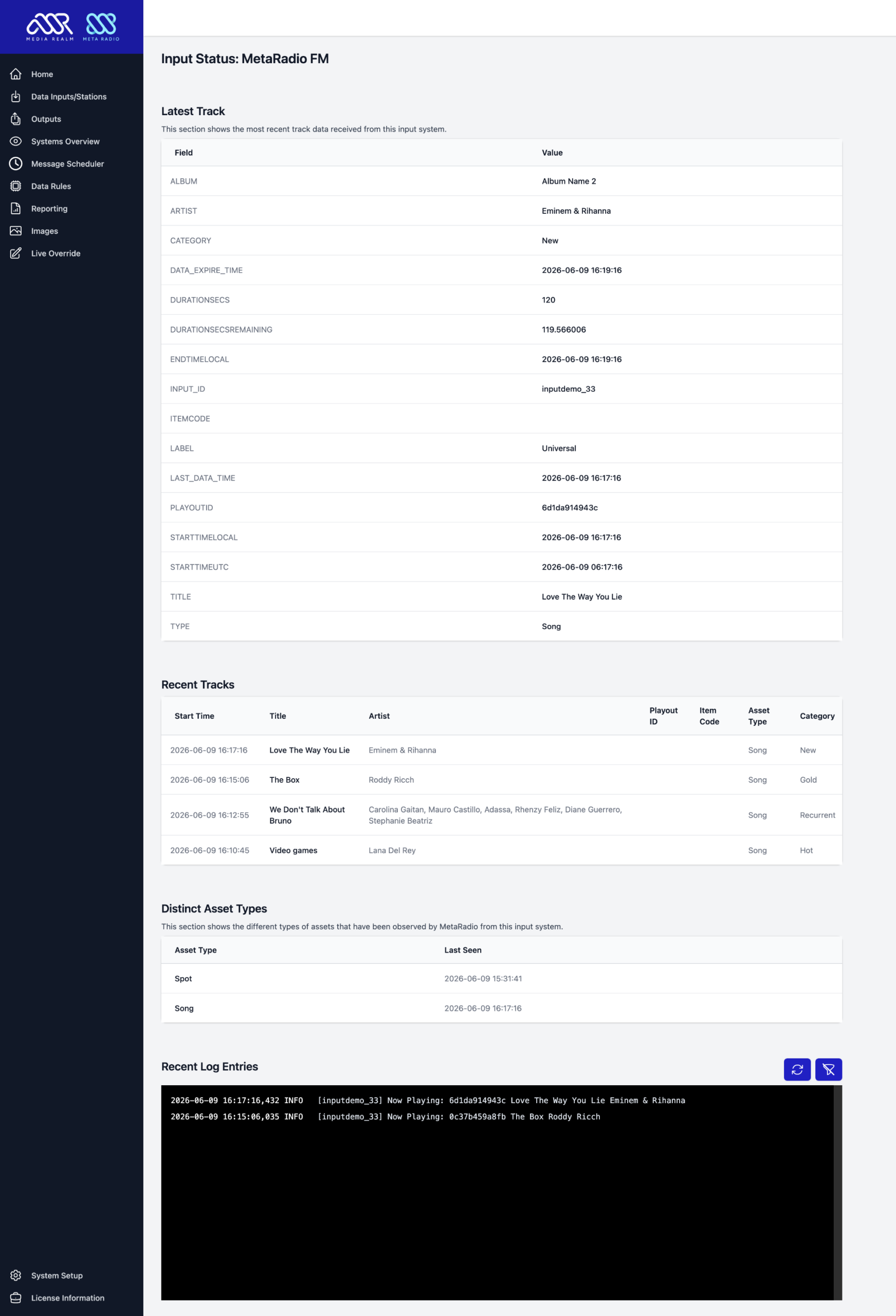
With Input systems, you can see the latest track data, recent tracks, asset types, and the log (with optional verbose logging for detailed troubleshooting):
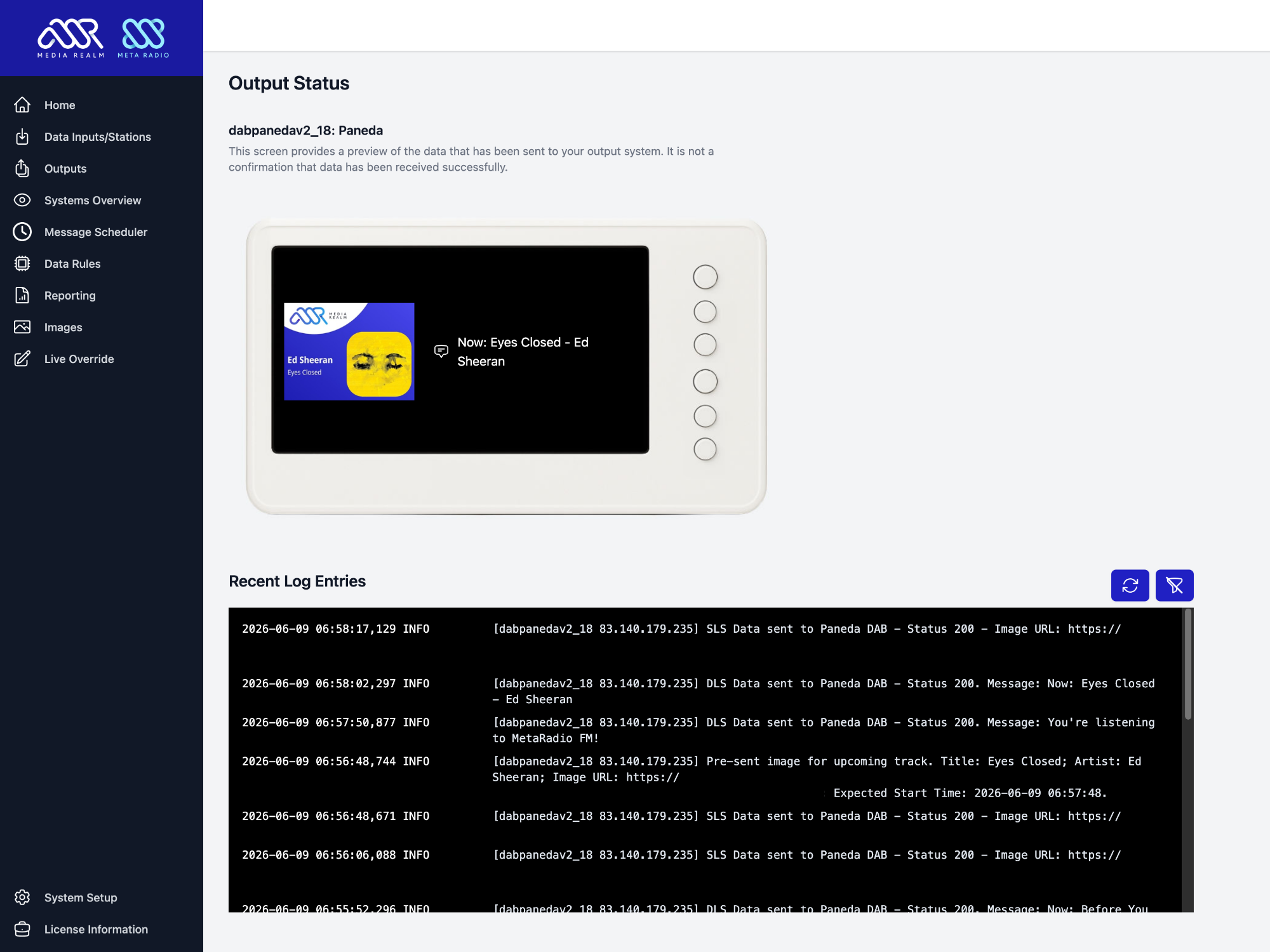
For output systems, you can see the latest data that has been sent, and the log for that system (with optional verbose logging for detailed troubleshooting):
New Systems
As always, we have a selection of new and improved systems available to connect within MetaRadio:
- NPR Cadence
NPR Cadence is the replacement for NPR Composer 2. With MetaRadio, you can both push and pull data from Cadence. This means you can have MetaRadio populate your Cadence playlist (as songs play live from your automation system, they’ll be added to Cadence playlists), or you can pull the data already in Cadence and use it in MetaRadio. - Paneda DAB Images
You can now send images (SLS) to Paneda DAB systems. We support their pre-send image feature, meaning images can be buffered on radio receivers ahead of time. Override images can be sent without additional licensing, but album art requires licensing our DAB+ Images subscription service. - CBAA Digital Radio Project DAB+
We now support sending images to CBAA’s DAB+ APIs. Override images can be sent without additional licensing, but album art requires licensing our DAB+ Images subscription service. - ODR-EncoderManager
You can now send text and images (DLS & SLS) to the Open Digital Radio’s EncoderManager tool. Override images can be sent without additional licensing, but album art requires licensing our DAB+ Images subscription service. - Fundraising Systems – Profiler and Radio Websites
For our non-profit stations, we are now beginning to add support for live fundraising tally services. We have initially added support for Profiler CRM and Radio Websites, as well as limited support via generic inputs. You can use the current tally via merge fields, and also use the tally percentage in an Image Template to visually illustrate the progress of your appeal. If your station does on-air fundraising, tell us which tally management system or CRM you use! - BE Transmitter RDS
We have added BE’s ASCII format to MetaRadio. - Deliver.Media
Deliver.Media’s API is now available as an input.
What’s Coming Later in 2026?
We have an ambitious roadmap for MetaRadio, and we’re currently aiming to release the next version in 2-3 months. Some of the features we are currently working on include:
- Program Guide
We will be introducing a Program Guide feature into MetaRadio Standalone. This will provide a dedicated place to store your program guide, which can then be sent to output systems. While MetaRadio WordPress has had a program guide for many years, but this change will make this feature available to all users of MetaRadio. - Web Widgets & APIs
We will be introducing a series of hosted website widgets and APIs, allowing you embed MetaRadio data directly on any website, regardless of the CMS or hosting provided used. Of course, you can also use our Radio Website platform. - RadioDNS
We are now a member of RadioDNS, and will be implementing these open standards in MetaRadio. RadioDNS data is used behind the scenes by many providers and platforms, including Gracenote and TuneIn. We look forward to improving the appearance of our customers radio stations via the RadioDNS ecosystem.
If you have a feature request or a problem you don’t know how to solve, please get in touch! MetaRadio is shaped by the feedback of broadcasters just like you.
MetaRadio 2.7 Enhancements, Changes and Bug Fixes
MetaRadio 2.7 also includes many miscellaneous enhancements, changes, and bug fixes:
- Licensing: Automatically update the license file in the background if the license has been upgraded (e.g. maintenance renewal or quantity upgrade).
- Image Library: Allow editing existing images.
- Data Rules: Move the rule editor to a separate line to provide more space for typing in the fields.
- Live Overrides: Allow restricting users to specific inputs via user permissions.
- Installer: Don’t add duplicate firewall rules.
- Adjust timeouts for many web-based input and outputs, helping recover quicker from network and API issues.
- Merge Fields: Add {LABEL} field.
- Upcoming Items: Remove duplicates.
- Upcoming Items: Process output data rules.
- Web Config: Fix a bug where CSS sometimes stops loading.
- Web Access: Improve reconnects when connections to our server fail.
- Specific system changes:
- ACRCloud: add Label field.
- Audemat RDS: Separate FMB80 from the newer Audemat RDS Encoder.
- Custom TCP & File Outputs: Don’t strip <title> and <artist> tags from message strings.
- Dalet 5.1: Add Label and Category fields.
- Dalet 5.1: Improve parser for raw fields.
- DreamEncoder: Add TCP option, and change enclosing tag.
- DTS AutoStage: Use Music Story images if the user has licensed the HD Radio Artist Experience for that same station.
- Generic HTTP, IP & File Inputs: Allow sending Tally_Current and Tally_Goal fields to these inputs, and process these as fundraising tally values.
- HD Radio Artist Experience: Improve pre-send of message scheduler images.
- HTTP Output: Add Category & Label fields.
- NPR MetaPub: Speed up the UI and fix a bug where the list of programs didn’t always display.
- RDS UECP: Fix infinite loop with re-try on failure.
- RDS: Add simultaneous RT/DPS mode for most RDS encoders. This lets you send the exact same thing via both RadioText & Dynamic PS fields without needing a separate output for each.
- RSS Input: Add exclusion options for items in RSS feed.
MetaRadio 2.7 – How To Upgrade
MetaRadio 2.7 is available as a free upgrade to anyone who purchased MetaRadio on 16th June 2025 or later. If you purchased MetaRadio prior to this, you need to have an active support and updates subscription in order to access this update.
To upgrade from v2.5 or newer, simply go to the License Information screen in MetaRadio. This screen will provide you with a download link, and also has information on how to renew or upgrade your license (if needed).
To upgrade from v2.4 or earlier, follow these instructions:
- Request the latest download link and license file. On this page, enter the same email address you used to purchase MetaRadio.
- You will receive an email with the latest download link and license file.
- If you do not receive an email, check your junk email folder. Also check you are using the same email address you originally used to purchase MetaRadio.
- If your support & updates subscription has expired, your email will contain the latest version you are entitled to access. This email will also contain a renewal link.
- On the same PC that is already running MetaRadio, close MetaRadio and run new the installer. Your existing settings will be preserved.
- Check everything is running correctly, and contact us in the event you need support.
If you have never used MetaRadio before, sign up for a free trial and then follow the full installation instructions.
Make sure you take a backup before you upgrade. You can backup all your settings by creating a copy of this hidden folder: C:\ProgramData\Media Realm\MetaRadio. If you are using a VM, we suggest taking a snapshot before upgrading.